
Logitech Lift, MX Vertical, and MX Master 4 – Which Mouse is Best for YOU
At Evolve Ergonomics Consulting, we help professionals trade repetitive wrist strain and forearm fatigue for setups that actually support sustained comfort. When clients seek a meaningful upgrade from a standard flat mouse, three Logitech options frequently stand out: the Lift Vertical Ergonomic Mouse, the MX Vertical, and the MX Master 4.
Each model addresses forearm pronation, wrist posture, and muscle loading in its own way. Here is our ergonomic assessment.
Logitech Lift Vertical Ergonomic Mouse – Compact Vertical Relief
The Lift adopts a 57° vertical “handshake” angle that reduces excessive forearm rotation compared with a flat mouse. This allows the wrist to rest more naturally on the desk surface while maintaining a less compressed position for the carpal tunnel area.
Key ergonomic features:
Compact, contoured body with a soft thumb rest and textured grip
Quiet clicks and smooth scrolling that limit unnecessary finger tension
Right- and left-handed versions for greater inclusivity
Best hand fit: Small to medium hands (generally suited to hands under approximately 19 cm in length). The Lift provides a comfortable fit when the palm fills the body without excessive overhang or cramped feel. Larger hands can quickly outgrow it, encouraging compensatory gripping that adds fatigue.
Many clients report a noticeable drop in end-of-day discomfort within the first week — a practical improvement for those easing into vertical mice.
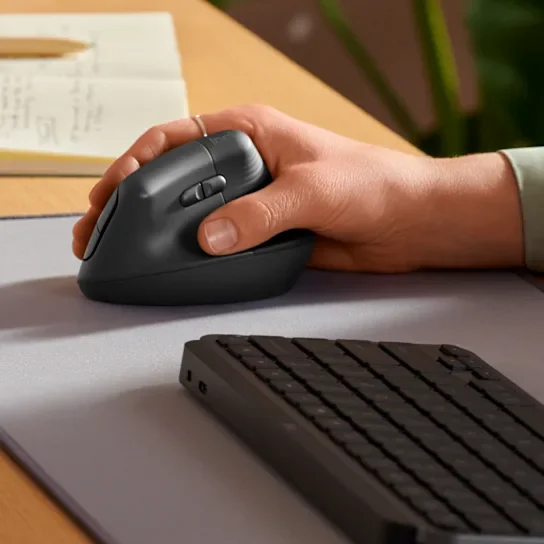
Ergonomics Mouse - Logitech Lift Vertical Mouse
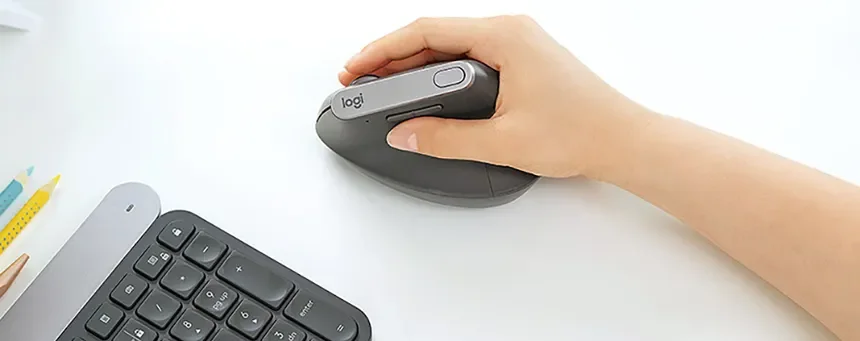
Logitech MX Vertical – Substantial Vertical Support
The MX Vertical uses the same 57° angle but on a larger, more robust frame. Logitech’s referenced testing shows it can reduce forearm muscular activity by about 10% versus a conventional mouse, while preserving pointing accuracy.
Key ergonomic features:
Generous thumb rest and contoured shape offering full-palm support
High-precision 4000 DPI sensor that achieves cursor movement with reduced hand travel
Rechargeable battery and straightforward multi-device connectivity
Best hand fit: Medium to large hands (generally suited to hands at or above approximately 19 cm in length). The fuller body delivers solid palm contact without forcing finger stretch or awkward curling. Smaller hands may find the height promotes unwanted wrist deviation.
We frequently recommend the MX Vertical for clients with existing wrist or forearm symptoms. It supports a clearer break from pronated habits without sacrificing daily efficiency.
Ergonomic Mouse - Logitech MX Vertical Mouse
Logitech MX Master 4 – Sculpted Hybrid Comfort
The MX Master 4 favours a traditional sculpted shape with a gentle tilt and refined contours. It encourages a relaxed palm grip that still moderates wrist pronation relative to flat mice, while productivity features help minimise repetitive micro-movements.
Key ergonomic features:
Ergonomic hump and thumb scoop that distribute pressure more evenly
MagSpeed scroll wheel and horizontal thumb wheel for efficient navigation with less repositioning
Haptic Action Ring enabling gesture controls through subtle thumb movements, reducing awkward reaches
8K DPI sensor and customisable buttons that support task automation
Best hand fit: Medium to large hands. The curvier, fuller design provides good palm support for users who prefer a conventional mouse profile with ergonomic enhancements. Smaller hands may encounter reaching or pinching due to the broader body.
The MX Master 4 often suits power users, designers, and analysts who require both comfort and high output over long sessions.
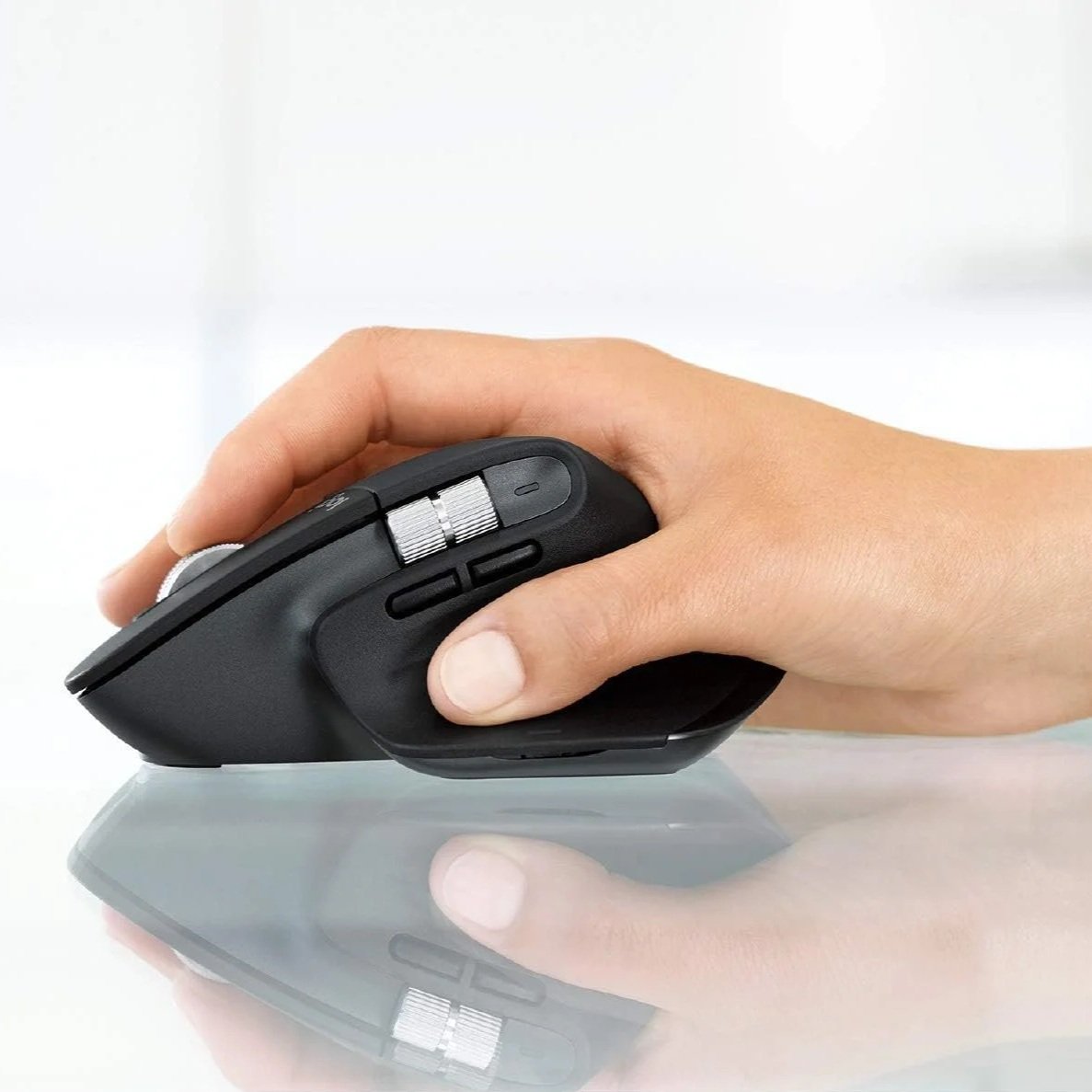
Ergonomic mouse - Logitech MX Master 4 Mouse
A Useful Mouse Habit to Adopt
Many mouse users unconsciously employ a “windshield wiping” motion with the wrist and hand when moving the cursor across the screen, especially when viewing multiple monitors. Over time, this increases stress on the forearm flexor and extensor muscle groups and fatigues the smaller structures in the hand and wrist.
A more sustainable approach is to rely on whole arm movements from the shoulder and elbow when navigating. This distributes effort across larger muscle groups, sparing the smaller, more fatigue-prone hand and forearm structures from unnecessary strain. Pairing this habit with any of the above mice amplifies their ergonomic value.
Selecting the Right Option
The optimal mouse depends on matching the design to your hand size, specific postural needs and how you use your mouse. Vertical options (Lift and MX Vertical) tend to deliver stronger relief for wrist pronation, while the MX Master 4 offers a smoother transition for those who prefer sculpted familiarity with added efficiency.
All three models provide clear advantages over generic flat mice in posture support and strain reduction. The difference often shows up as less mid-afternoon stiffness and greater willingness to keep working without the quiet internal complaint.
At Evolve Ergonomics Consulting, we deliver evidence-based workstation assessments, virtual consultations, and team-wide recommendations aimed at replacing “this is tolerable” with genuinely sustainable comfort. If your hands are delivering subtle (or increasingly direct) feedback by mid-afternoon, we can help identify targeted, practical solutions.
Contact us for a consultation — because consistent comfort tends to be more productive than prolonged endurance of poor workspaces.
Evolve Ergonomics Consulting – Practical ergonomics for real workspaces.
This page contains affiliate links. As an Amazon Associate, Evolve Ergonomics Consulting Inc. earns from qualifying purchases. These commissions help support our ergonomics consulting work and allow us to continue providing helpful product recommendations. Thank you for your support!